
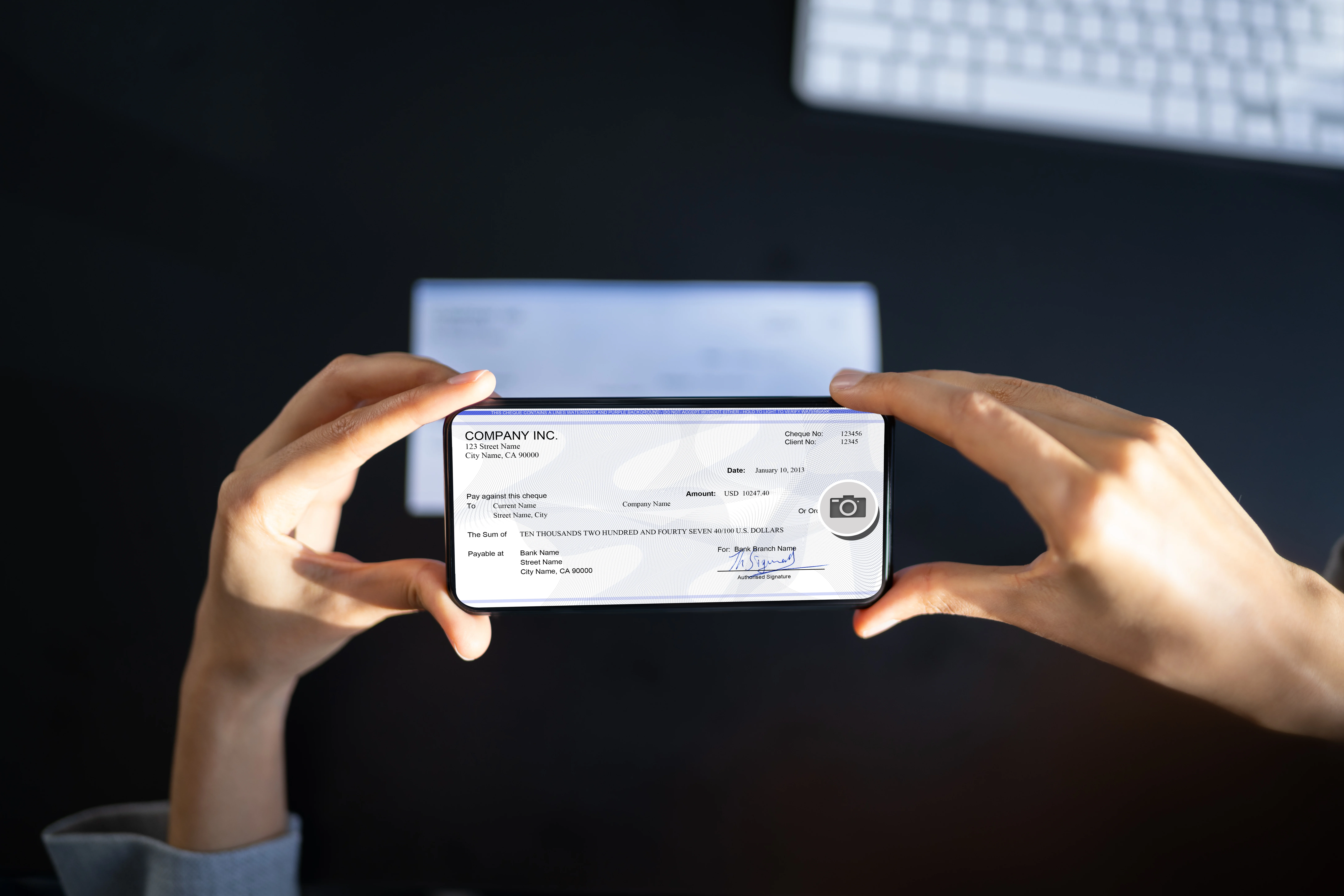
What is mobile check deposit?
Learn what a mobile check deposit is, how it works, how to endorse checks, and how long deposits take so you can move money into your account with ease.

Share
In this Article
Share
This content is for general educational purposes and is not intended as financial, legal, investment, or tax advice and should not be relied on as such. We do not guarantee the accuracy or completeness of the information found in this post.
Summary
Mobile check deposit lets you deposit a paper check by taking photos of it in your bank or financial institution’s mobile app, typically using your phone.
You sign the check, take a clear picture of both the front and back to upload, and choose which account to deposit it into.
Your bank or financial institution reviews the images and credits your account according to its funds-availability policy, which typically takes one or more business days.
You reduce trips to the branch or ATM, but you still need to handle the paper check carefully and avoid depositing it more than once.
Good habits such as using secure Wi-Fi, checking your account after you deposit, and destroying the check after it clears help you use mobile check deposit more safely.
Mobile check deposit is a feature in many online banking apps that lets you deposit a paper check using your mobile device instead of going to a branch or an automated teller machine, also called an ATM. You use your phone’s camera inside the app to take pictures of the front and back of the check, then you submit those images to your bank.
Banks often call this service mobile deposit or remote deposit capture. In simple terms, the bank uses your check images to create an electronic version of the check and process it as a deposit. The idea grew out of a U.S. law called the Check Clearing for the 21st Century Act, often shortened to Check 21, which allows banks to use images rather than always relying on the original paper check.
If you already have a checking account and a debit card, mobile check deposit can be one more way to move money into that account without needing to stand in line.
How mobile check deposit works
The exact user experience differs from one app to another, but most banks follow a similar process. A typical flow looks like this:
Sign in to your mobile banking app.
Open your bank, credit union, or neobank’s app and log in to your account with your username and password, or with your fingerprint or face if your device supports that. If you don’t have your bank’s app downloaded, you can usually find it on the App Store (if you have an iPhone or iPad) or Google Play Store (if you have an Android device).Choose mobile deposit.
Look for a menu item like “Deposit,” “Deposit checks,” or “Mobile deposit,” then choose which account you want to deposit into, such as checking or savings.Enter the check amount.
Type in the amount that appears on the check so the app knows what to expect when it reads the images.Endorse the back of the check.
Endorsement means signing your name on the back of the check. Many banks also ask you to write something like “For mobile deposit only” and sometimes the bank name under your signature. This tells everyone that this check should not be cashed or deposited anywhere else.Take photos of the front and back.
Use the app’s camera tool to take a picture of the front of the check and then the back. The app usually helps you line up the check and may not let you continue until the image is clear and complete.Review and submit.
You see a summary with the account, amount, and images. If everything looks right, you tap to submit the deposit.Wait for confirmation.
The app often shows a confirmation message or sends an email that it received your deposit. Later, the bank reviews the images and updates your balance based on its funds-availability policy.
Your financial institution decides when the money becomes available to spend, which can depend on the type of check, the amount, the time of day, and your account history. Many banks say simple mobile deposits clear within one or two business days, but it can vary, so it is always good to check your bank’s specific policy.
Benefits of mobile check deposit
Mobile check deposit exists to make your financial life a bit easier. Here are some benefits you might notice.
Saves time and trips
You can deposit checks to your checking or savings account from home, work, or anywhere you have a secure internet connection. You do not have to drive to a branch, stand in line, or find an ATM that accepts deposits. This can be especially helpful if you receive checks at irregular times, work non-standard hours, or live far from a branch.
Helps you move money faster
If you receive a check and you want those funds in your account, mobile deposit lets you start that process right away instead of waiting until you can visit a bank. While your bank still follows its normal rules for when the money becomes available, you cut out the travel time and deposit earlier in the process.
Fits into a digital money system
Mobile check deposit works well with other digital tools. You can:
Deposit a check into your checking account.
See the pending and available balance in your banking app.
Connect that account to an app like OnePay to track how the new money fits into your budget or savings plan.
That way, checks do not “float” around in your wallet or purse. They enter your digital view of your money more quickly.
Learn more about Banking
Risks and limitations you need to know
Like any financial tool, mobile check deposit has limits and risks. The Federal Deposit Insurance Corporation, or FDIC, describes mobile deposit as part of a broader service called remote deposit capture and highlights several risk areas for banks and customers.
Possible delays and holds
Even if the app says “deposit received,” that does not mean you can spend the money right away. Your bank still follows its funds-availability policy. It may place a hold on some or all of the check while it makes sure the check is valid and can be collected from the other bank.
If you spend the money before the check fully clears and the bank later finds a problem, such as the check bouncing, the bank can reverse the deposit. That can create overdrafts and fees if you have already spent the funds. Because of this, it helps to:
Wait until the funds show as “available,” not just “pending,” before relying on them.
Check your bank’s policy for how long different types of checks may be held.
Duplicate or fraudulent deposits
One key risk the FDIC mentions is duplicate deposits, which means someone deposits the same check more than once, either by mistake or on purpose. For example, they might:
Deposit a check using mobile deposit and also try to cash it at a check-cashing store.
Deposit at one bank and then try again at a different institution.
Banks use systems to detect and prevent this, but it still causes problems when it happens. If you accidentally try to deposit a check again, the bank will likely reject it. If someone else tries to use your check in a fraudulent way, your bank may need time to investigate.
Technical and security risks
Because mobile deposit works through your phone and the internet, you share some of the same risks as other mobile banking features:
Using public Wi-Fi can expose your data to more risk if the network is not secure.
If your phone does not have a strong password, biometric lock, or screen lock, someone who gets your device could access your app.
If you lose your phone and someone has your login information, they could try to use features like mobile deposit in ways you did not authorize.
You can manage many of these risks with simple steps, which we will cover in the best practices section.
How long does mobile check deposit take?
The time it takes for a mobile check deposit to clear has two parts. There is the initial confirmation that your bank received the images, and there is the funds-availability timeline, which is when you can actually use the deposited funds.
Confirmation in the app
Right after you submit your deposit, your app usually shows a message like “Deposit received” or “Pending.” This means your bank’s system got your images. It does not always mean the money is ready to spend.
You might also get a confirmation email. Some banks send a second message later if they accept or reject the deposit after reviewing the images.
When the money becomes available
Your bank or credit union follows its own funds-availability policy, which explains when deposited money becomes available for withdrawal or spending. This timing can depend on:
The type of check, such as a government check, payroll check, or personal check.
The amount, since larger checks can have longer holds.
The time of day you submit the deposit, especially around weekends or holidays.
Your account history, such as how long you have had the account and how often you have deposits returned.
Some banks say that simple mobile check deposits, especially for smaller amounts and known payers, become available within one or two business days, if you deposit before a daily cutoff time. Some may release a portion of the funds sooner and hold the rest a bit longer.
The safest approach is to:
Look at your bank’s specific funds-availability policy for mobile deposits.
Check your account to see when the deposit moves from “pending” to “available.”
Wait until the funds show as available before you rely on them for bills, transfers, or purchases.
If a check seems to take longer than expected, you can contact your bank and ask them to explain the hold in simple terms. You have a right to understand how your money moves and when you can safely use it.
Best practices for using mobile check deposit
You do not need to be a tech expert to use mobile check deposit wisely. A few habits can make a big difference. Many banks and credit unions suggest tips like these in their mobile deposit guides, and they align with FDIC mobile banking advice.
How to endorse a check for mobile check deposit
Before you take any photos, sign the back of your check. Then, if your bank requires it, add wording like:
“For mobile deposit only at [Bank Name]”
This helps make it clear that this check should only be deposited through your mobile app and not reused somewhere else. Always follow your own bank’s exact instructions, since wording can vary.
Take clear photos
Your bank needs to read all the details on the endorsed check image. To help with that:
Place the check on a dark, flat surface.
Make sure there is good lighting, with no heavy shadows over the check.
Line up all four corners inside the app’s frame.
Hold your phone steady so the writing looks sharp and not blurry.
If the app rejects your image, adjust the lighting, distance, or angle and try again. Clear photos reduce the chance of delays or errors.
Keep the check for a short time, then destroy it
Most banks tell you to hold on to the physical check for a short period, such as a few days or a week, until you confirm that the deposit cleared and the funds are available. After that, they often recommend you destroy the check, for example by shredding it, so no one else can try to use it again.
Your bank’s exact recommendation may differ. Check your app or account agreement for their guidance.
Watch your account after you deposit
It helps to log in to your banking app or website after a mobile deposit to:
Confirm the deposit shows up with the correct amount in the deposit account.
See when the funds move from pending to available.
Make sure there are no unexpected reversals.
If something looks wrong, contact your bank quickly so they can look into it.
Protect your phone and connection
To use mobile check deposit more safely, you should practice general mobile banking protections.
Use a strong passcode, fingerprint, or face recognition to lock your phone.
Do not store your banking passwords in plain text in notes or emails.
Avoid logging in on public Wi-Fi networks you do not control. Use your mobile data or a trusted, secure Wi-Fi network instead.
Keep your phone’s operating system and the banking app updated, so you get the latest security fixes.
These habits protect not just mobile deposits, but your whole digital banking experience.
Using mobile check deposit with confidence
Mobile check deposit can feel a little strange at first, because you are trusting your phone and an app instead of handing a check to a person. That feeling is normal. It does not mean you are doing anything wrong.
You can build comfort step by step:
Start with one small check, follow your bank’s instructions closely, and see how long it takes to clear.
Watch how the deposit appears in your account history and how it changes your available balance.
When you feel comfortable, use mobile deposit more often for checks that fit your needs, and keep using alerts and account monitoring to stay on top of things.
If any instructions in your bank’s app confuse you, you can call or visit the bank and ask someone to walk you through the process in plain language. You deserve to understand how your money moves.
Over time, mobile check deposit can turn from something that feels uncertain into a simple tool that saves you time and helps you move money into your account more smoothly.
Frequently Asked Questions
Mobile check deposit lets you deposit a paper check using your phone by taking photos of the front and back in your banking app.
You open the app, choose mobile check deposit, enter the amount, and take clear photos of the check. Make sure the check is endorsed before submitting.
Funds may be available the same day or within a few business days, depending on the check amount, your account history, and when you submit it.
Most accounts have daily or monthly mobile deposit limits. These limits help reduce fraud and may vary by customer.
Yes. You usually need to sign the back of the check and may need to write “For mobile deposit only,” depending on the app’s instructions.
Most personal, payroll, and government checks can be deposited. Some checks, such as international checks or third-party checks, may not be accepted.
You should keep the check for a short period in case there are issues, then safely destroy it once the deposit is confirmed.
A deposit may be delayed or rejected if the photos are unclear, the check is incomplete, or the amount entered does not match the check.
Mobile check deposit uses security measures to help protect your information. Always use a secure internet connection and keep your app updated.
You can usually submit deposits at any time, but deposits made after certain cutoff times may be processed the next business day.